- Company
- Malam Team
- Role
- Product Designer
- Team
- Me, a PM and engineers
- Outcome
- Shipped and in use by the client
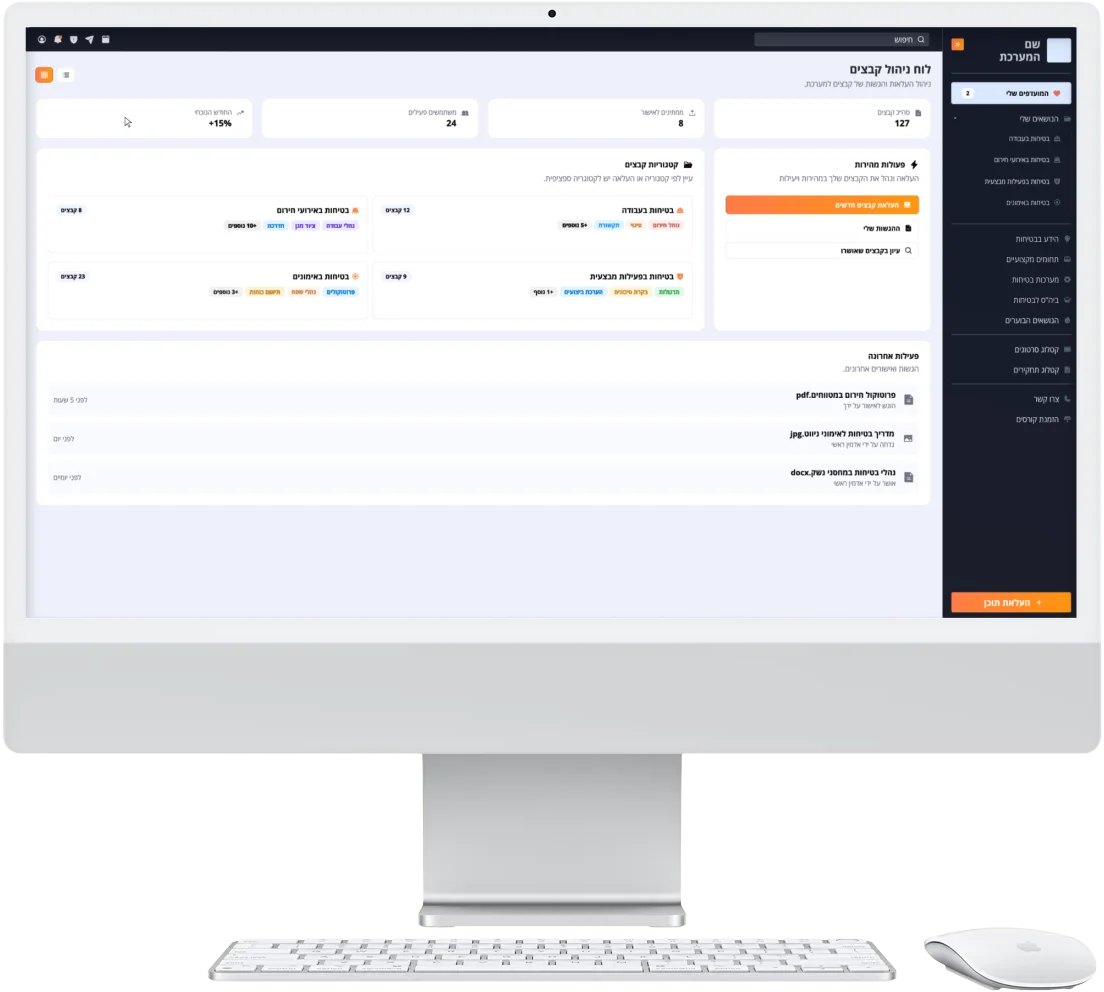
File Management System
A clean and intuitive file system designed to simplify organization, protect sensitive content, and keep teams focused on what matters.
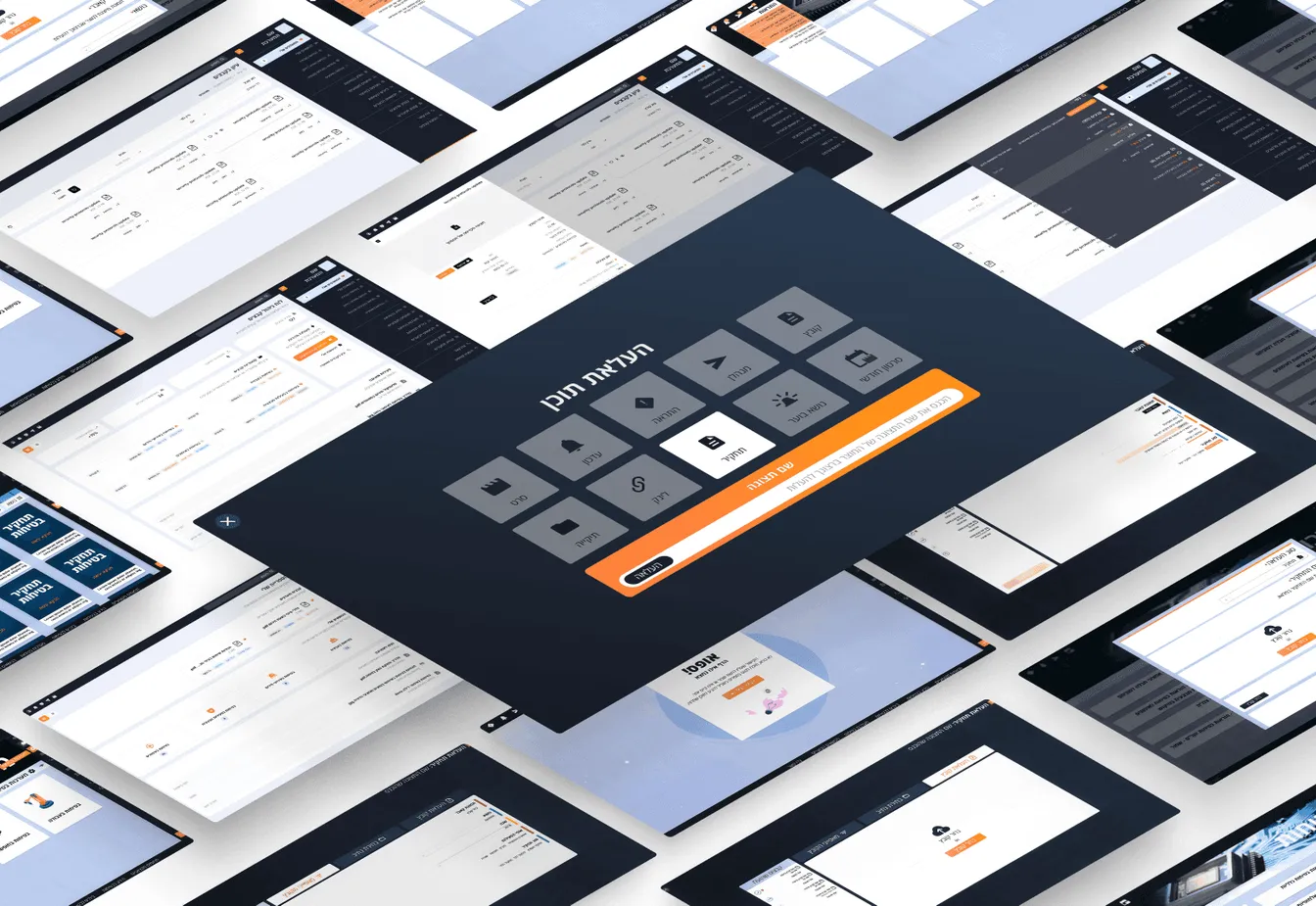
Project overview
The project began as a simple UI update: modernize the interface of an existing file management system by refining layouts, updating the color scheme, and improving visual polish.
But after reviewing the product in use and speaking with the client, it became clear the issues weren’t just visual. The system had grown unevenly, with patchwork logic, recurring pain points, and inconsistent interfaces that made even basic tasks feel clunky.
I proposed expanding the scope to include a full UX redesign - focusing on clarity, structure, and usability across the entire platform.
My role
Interviewed users and team leads to understand pain points
Reworked flows and screens for simplicity and clarity
Collaborated side by side with developers and stakeholders
Built a flexible UI system that could grow with the product
The challenge
The original system had evolved naturally over time, gaining features without a guiding design system.
Users had adapted to the clunky workflows, but the friction was clear.
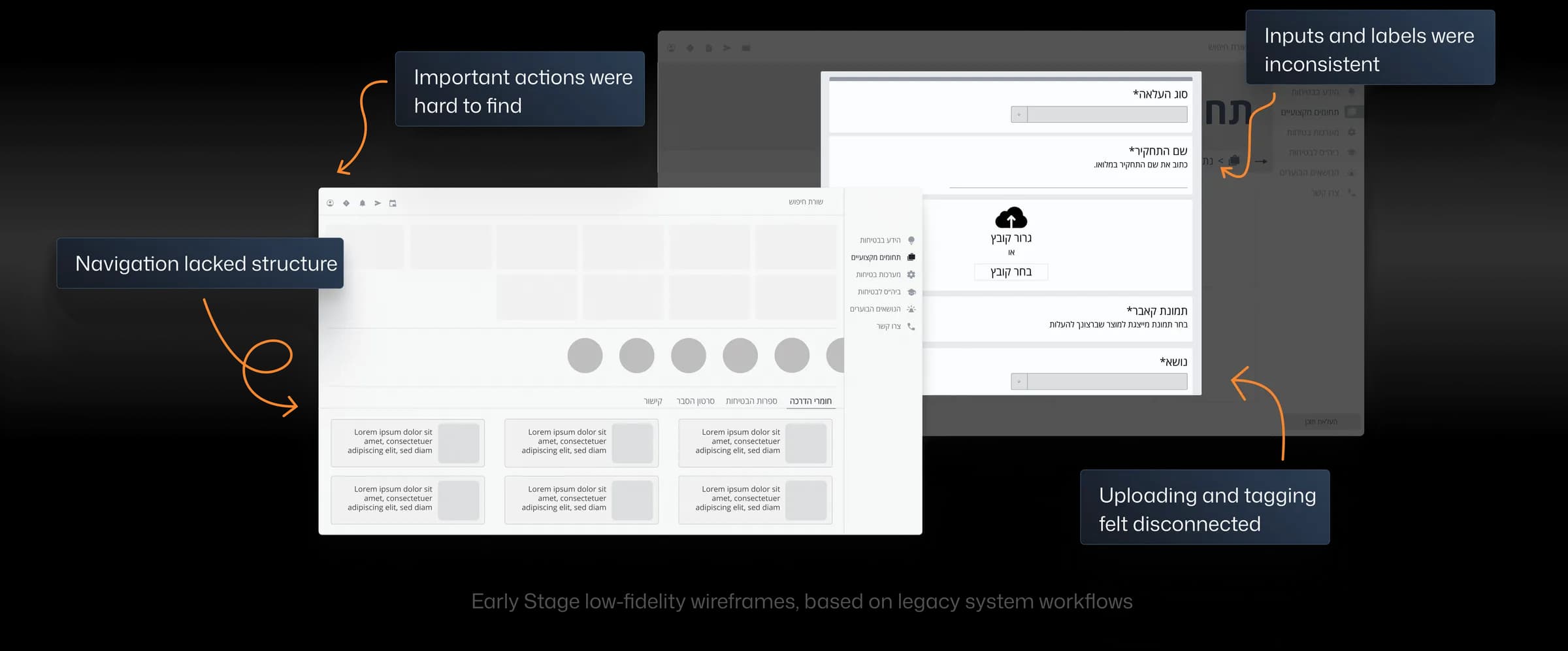
It wasn’t broken, but it wasn’t working either.
Learning from real use
Since the product was already in daily use, I started by watching how people actually used it. I scheduled interviews, sat in on working sessions, and gathered support feedback. My focus: where users hesitated, repeated steps, or skipped tasks entirely.
I’ve been using this for a year and still get lost in the folder structure. It feels like it changes depending on where I enter from
I avoid adding tags unless necessary. I’m not sure which ones are correct and I’ve seen them spelled differently
I never know if my file actually uploaded. Sometimes I repeat it twice just to be sure.
Redesign in action
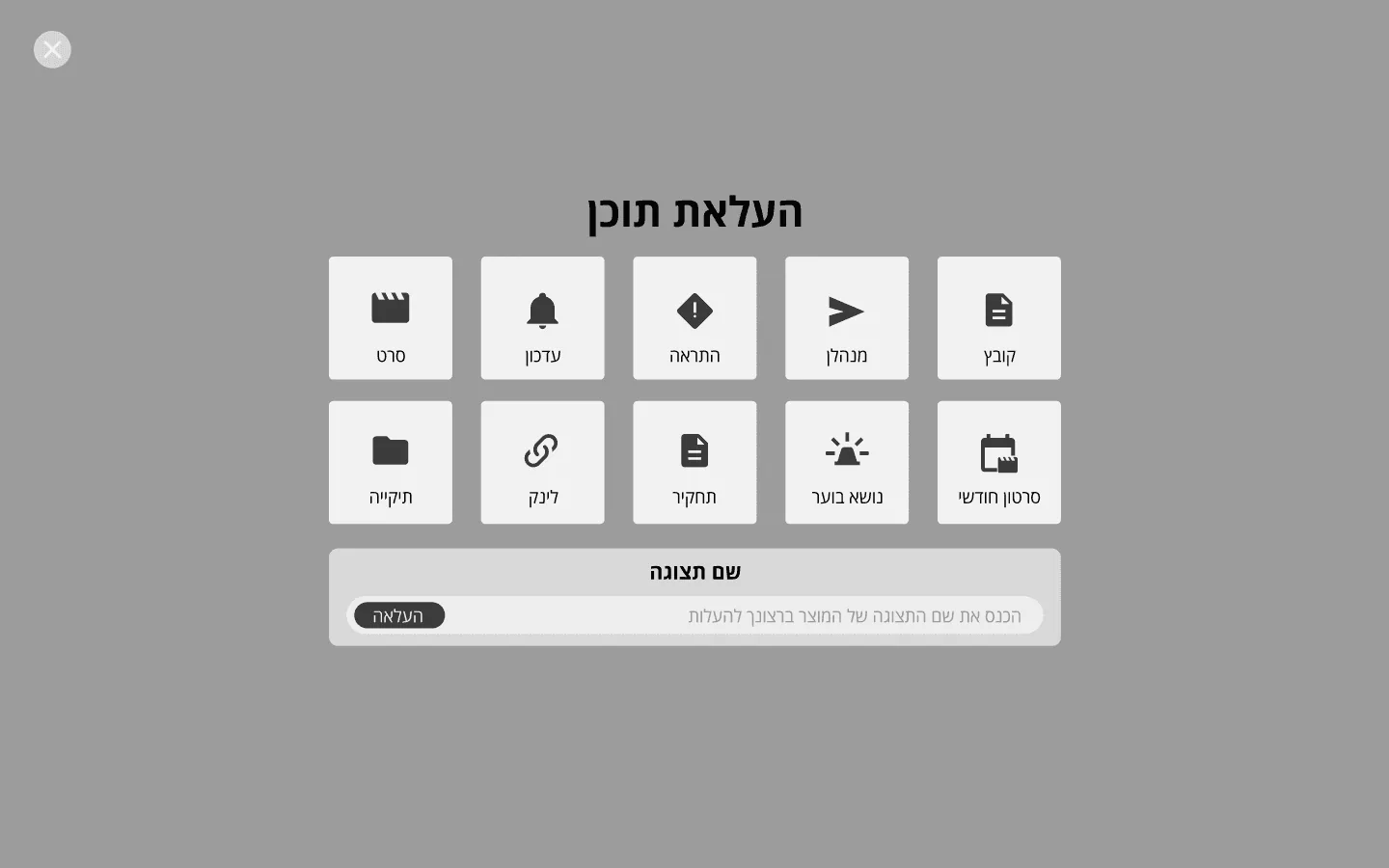
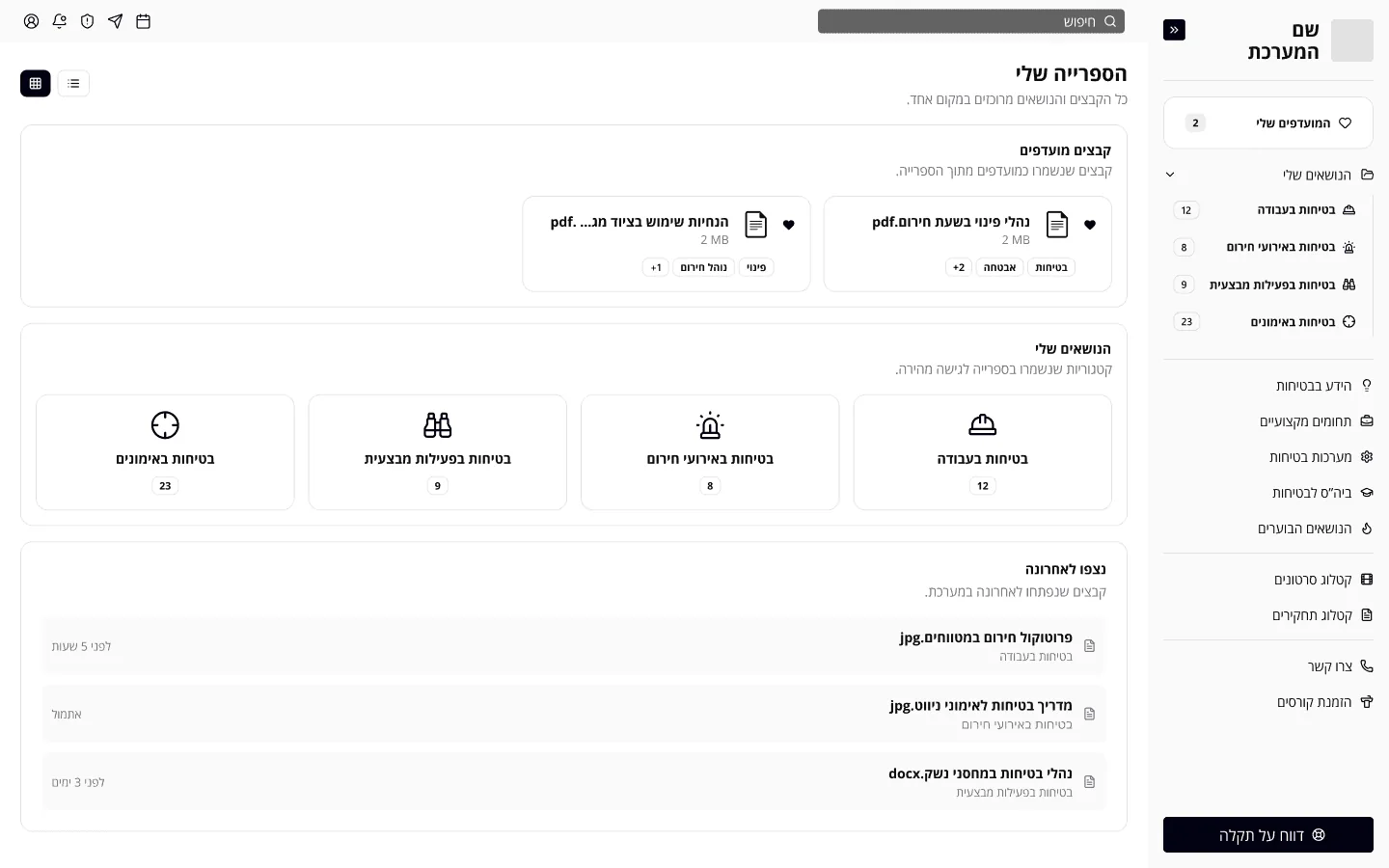
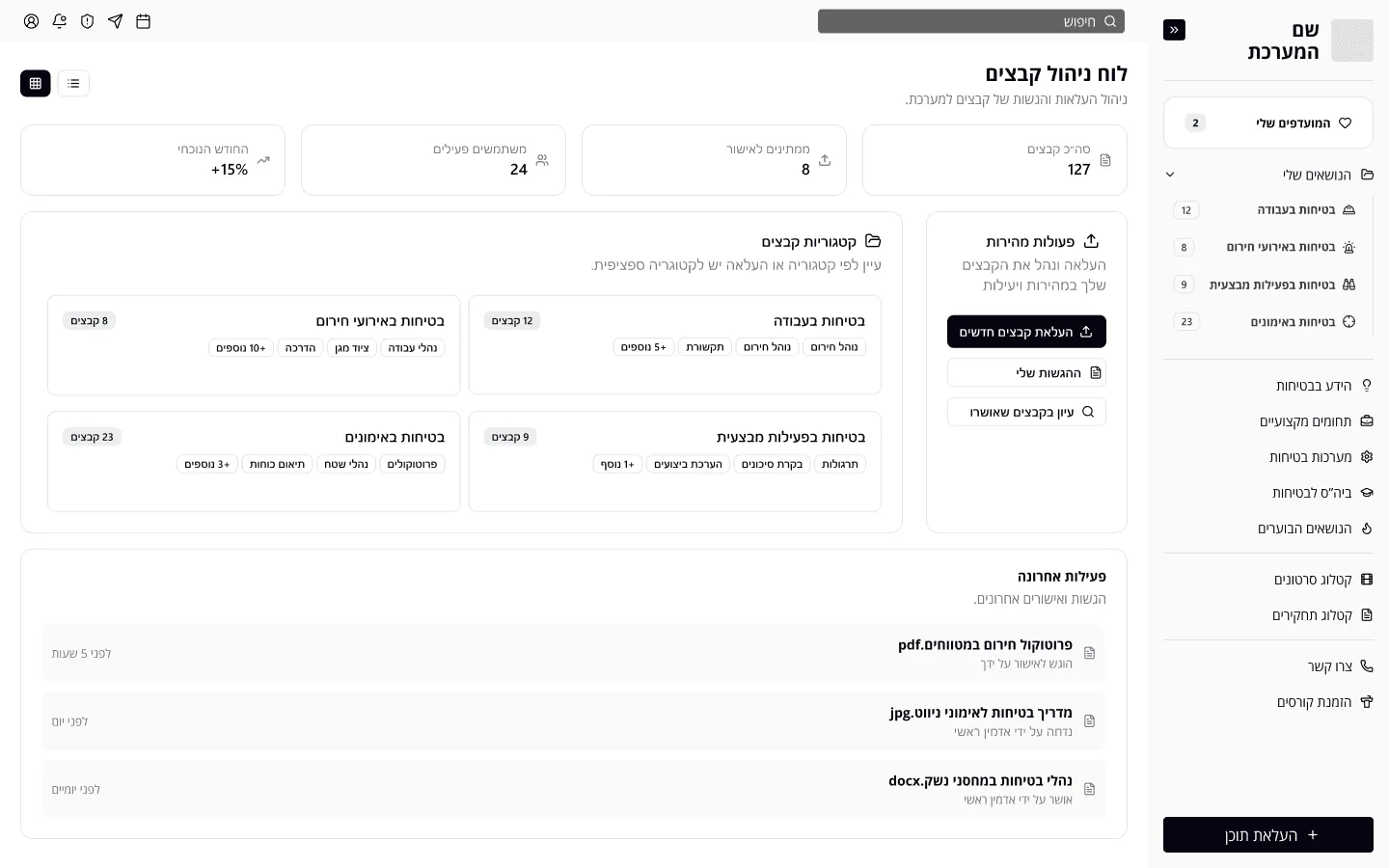
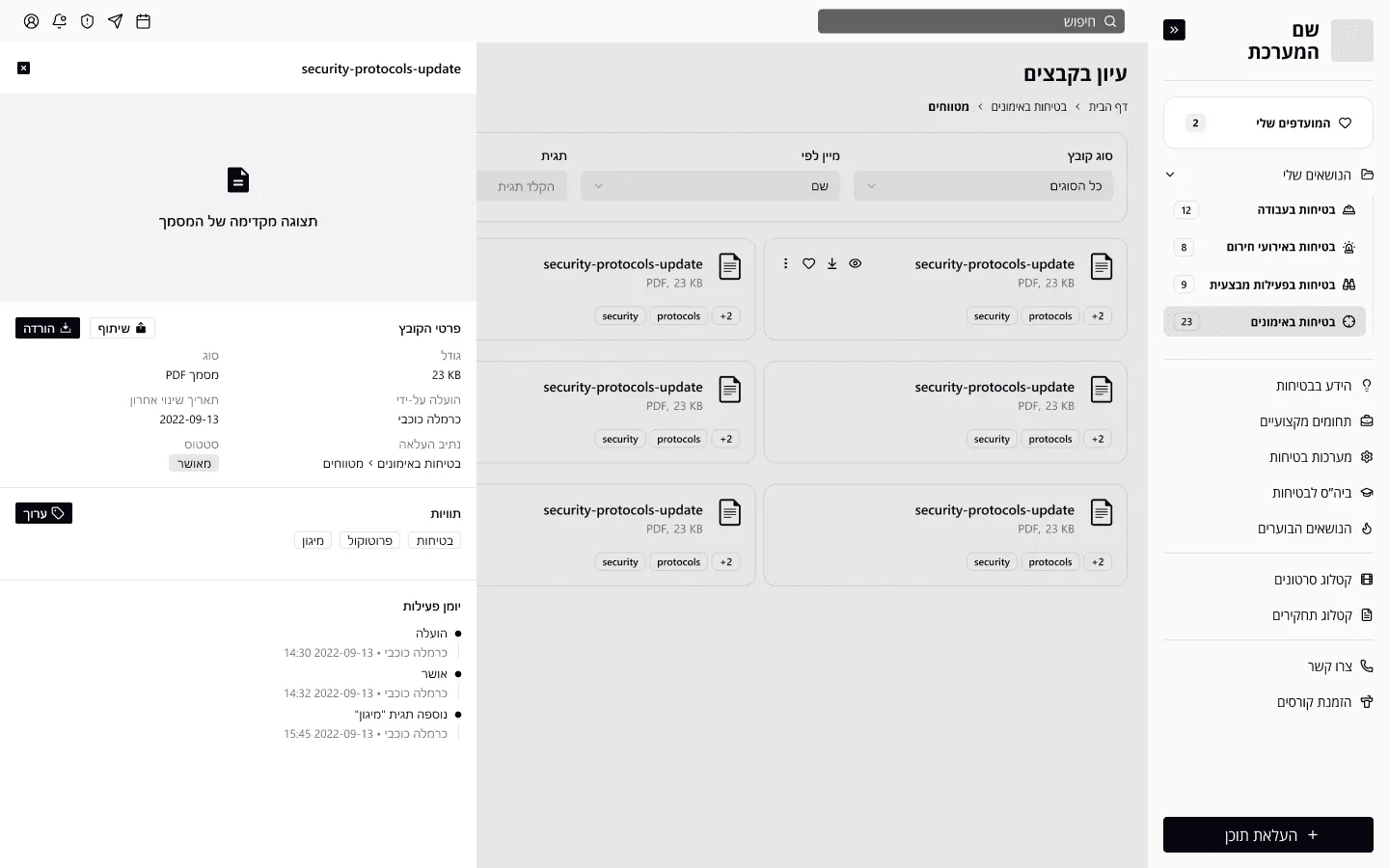
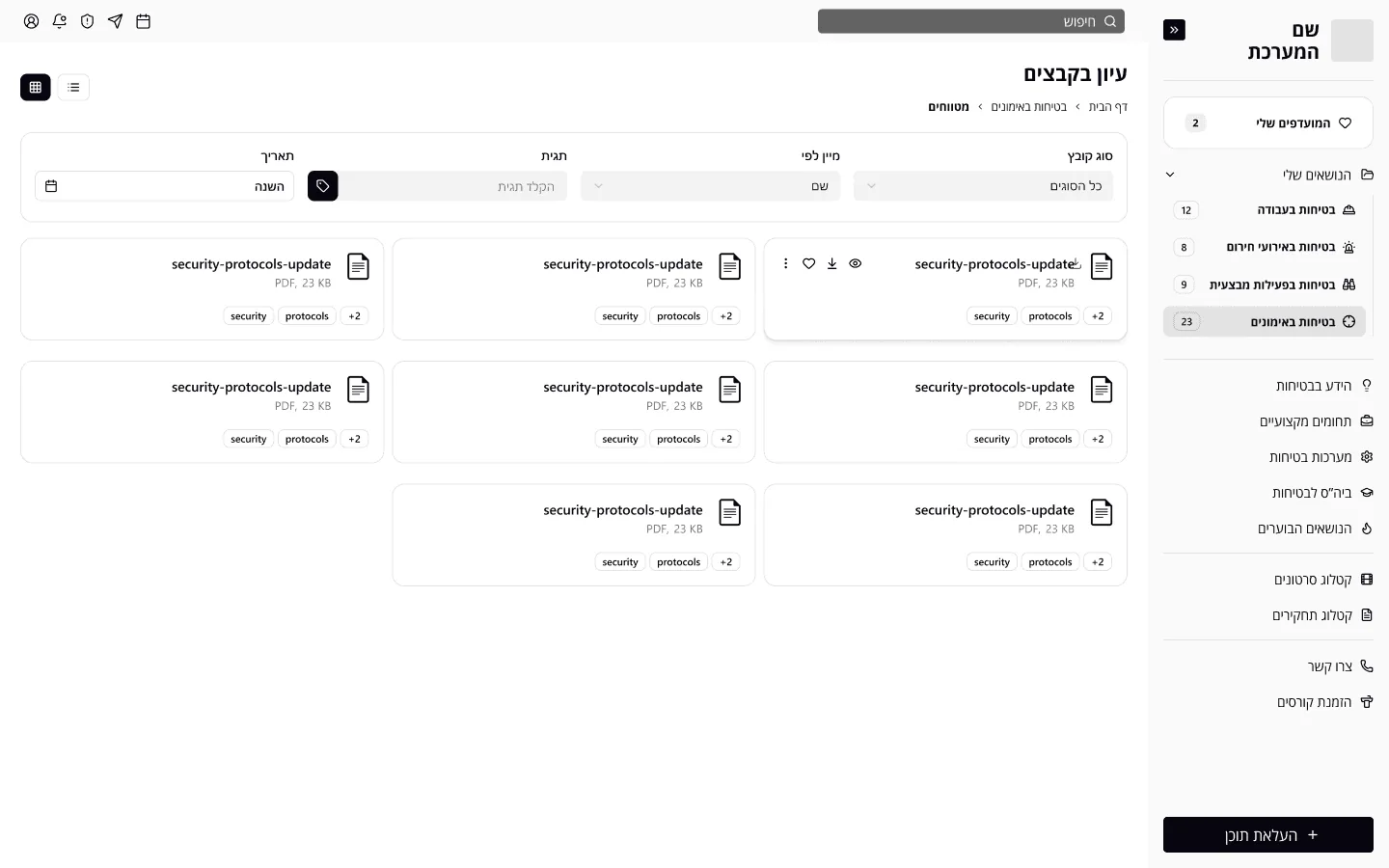
I redesigned the core screens that users relied on every day. Navigation was restructured to feel more intuitive. File preview and quick actions were cleaned up for clarity, and search was rebuilt to be faster and more predictable.
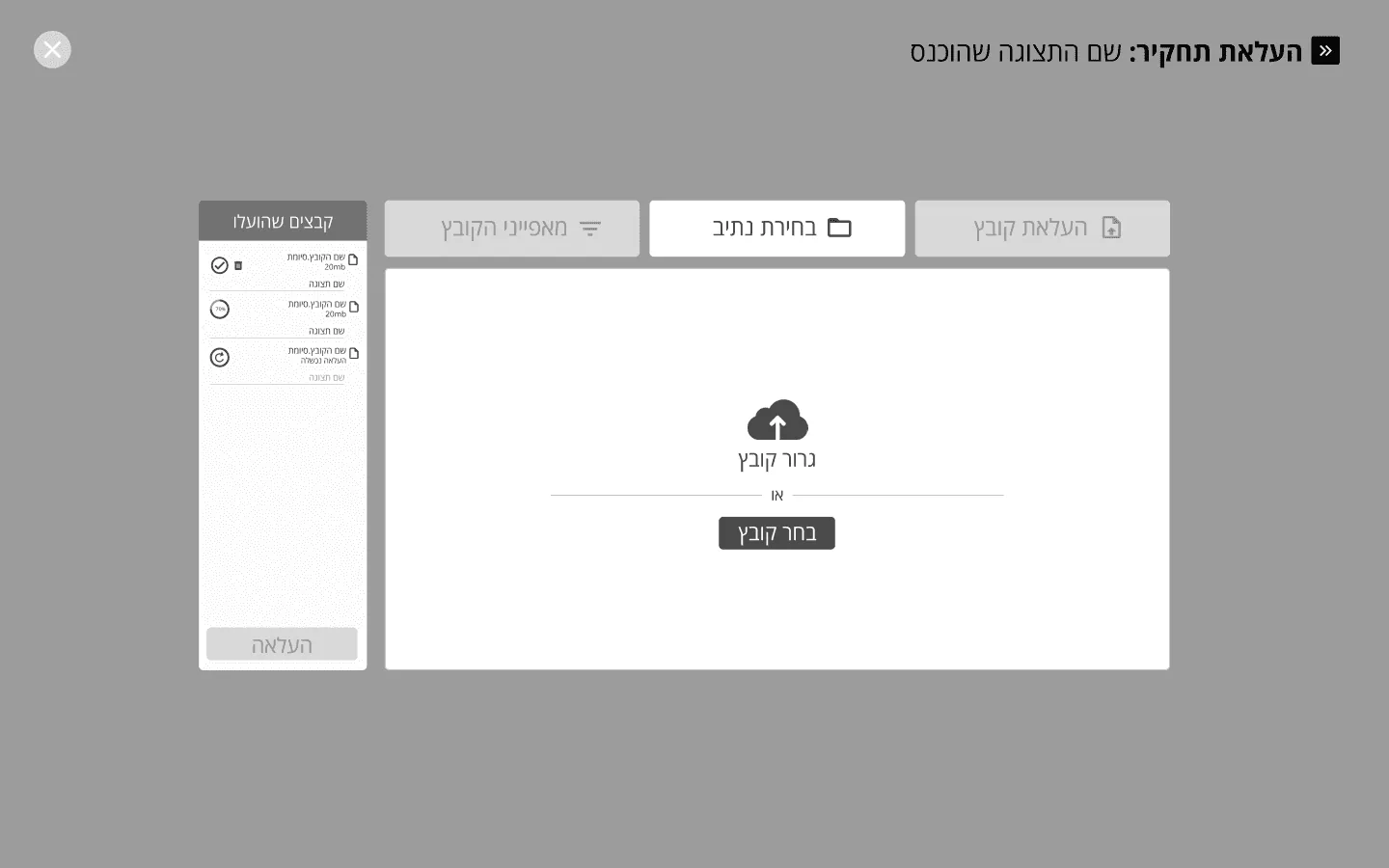
Tagging and metadata editing now live in one streamlined panel. Sharing is simpler, with clearer permissions. And uploading now feels fast and straightforward.
Design system
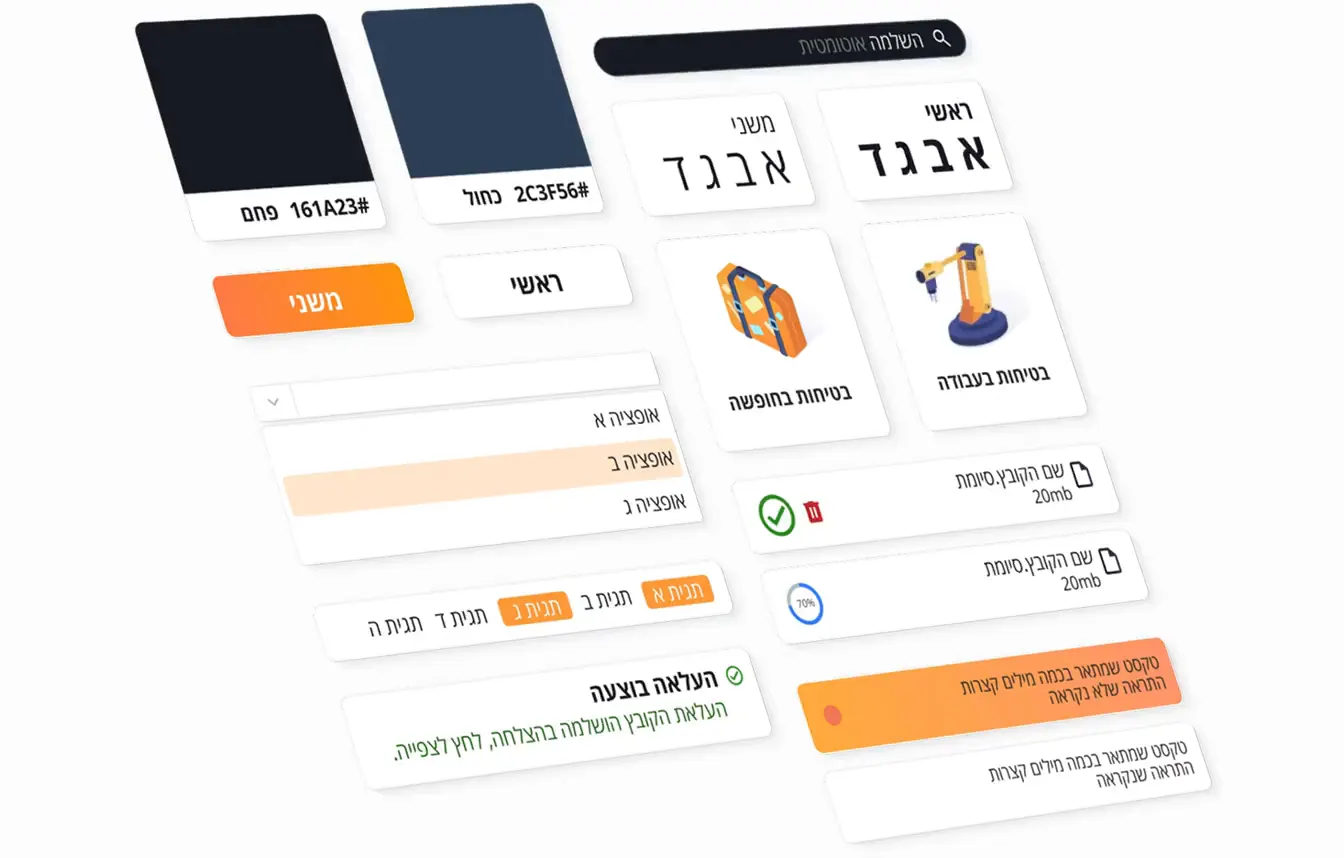
The design system combined deep blues and soft whites to create clear contrast, while orange accents drew attention to key actions. Open Sans Hebrew was chosen for its legibility and balanced tone, working well across both dense interfaces and spacious layouts.
Phosphor Icons provided a scalable, unified visual language, and subtle motion in the main category icons added just enough energy to guide focus without distracting from the task.
Redesign highlight
Dashboards by role
The system is used by a wide range of users, from everyday viewers to admins and super admins. Each dashboard was designed not just to show different permissions, but to align with the context, responsibilities, and pain points of each persona.
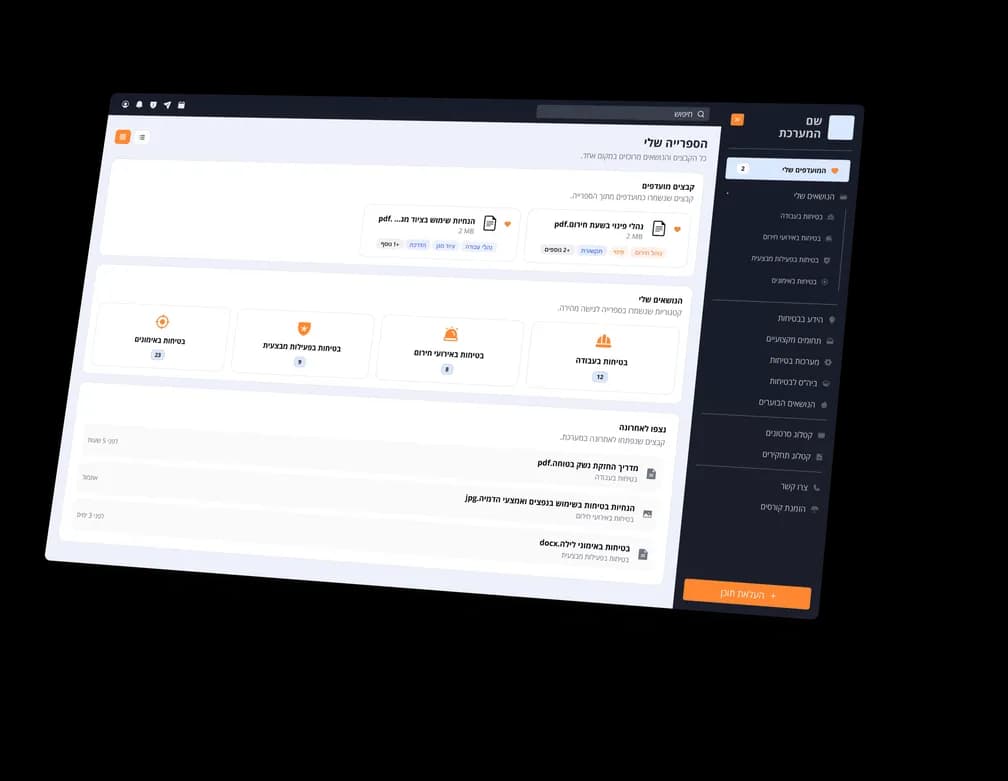
Regular user
Built for clarity and speed. Users mainly need to find and save files. The dashboard highlights favorites, pinned categories, and recent activity. The dashboard guides them straight to what’s relevant, without operational clutter.
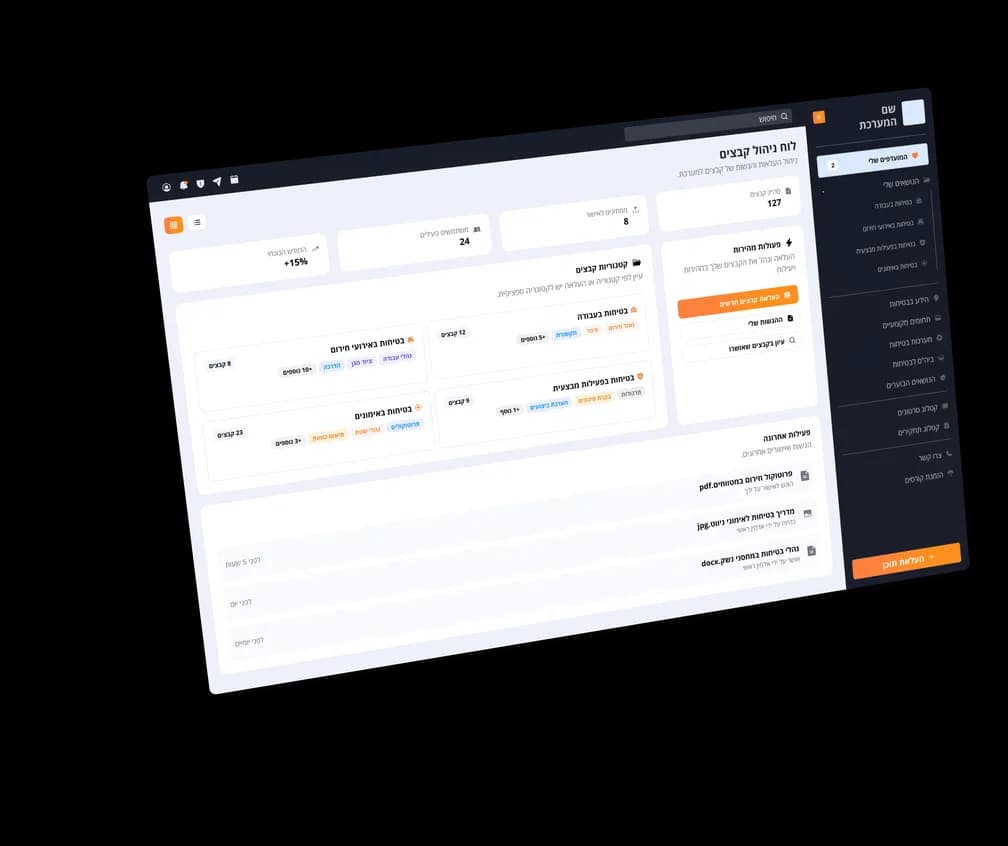
Admin
Focused on content flow. Quick actions and approval queues support daily operations. Analytics give admins the feedback they need to spot bottlenecks and ensure files stay accurate and accessible.
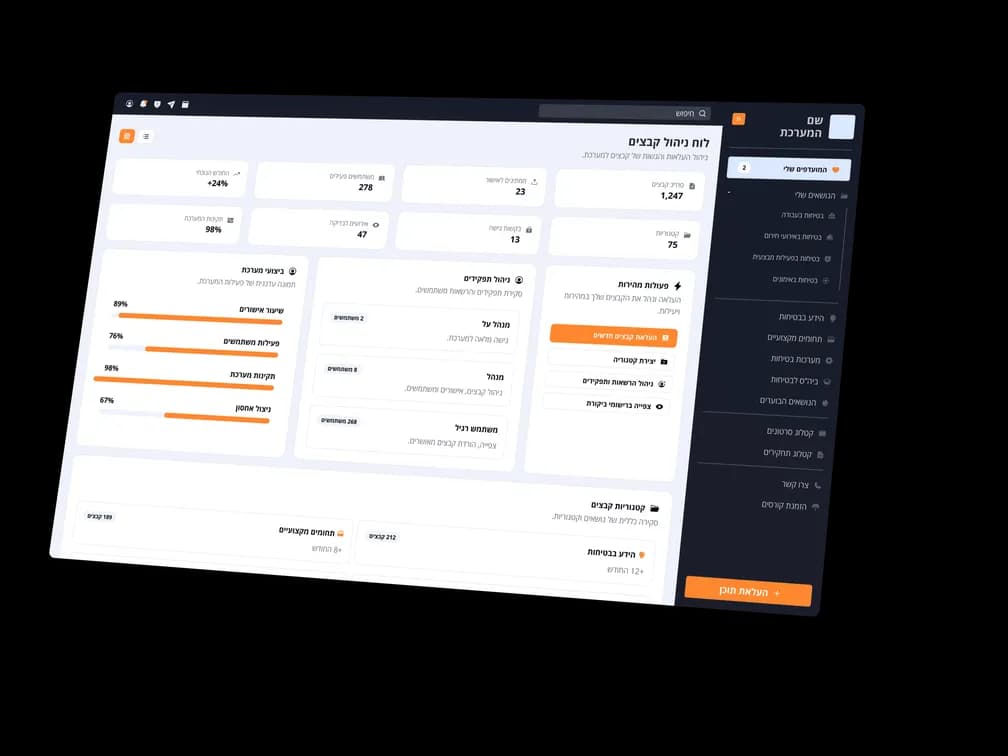
Super admin
Designed for system oversight. Beyond admin tools, super admins oversee roles, categories, and global settings. Their dashboard provides a broad view of how the system is being used, with the goal of keeping everything consistent and sustainable as it grows. The focus is less on control and more on supporting healthy structure, making sure users across the organization can rely on the system to be organized, intuitive, and always up to date.
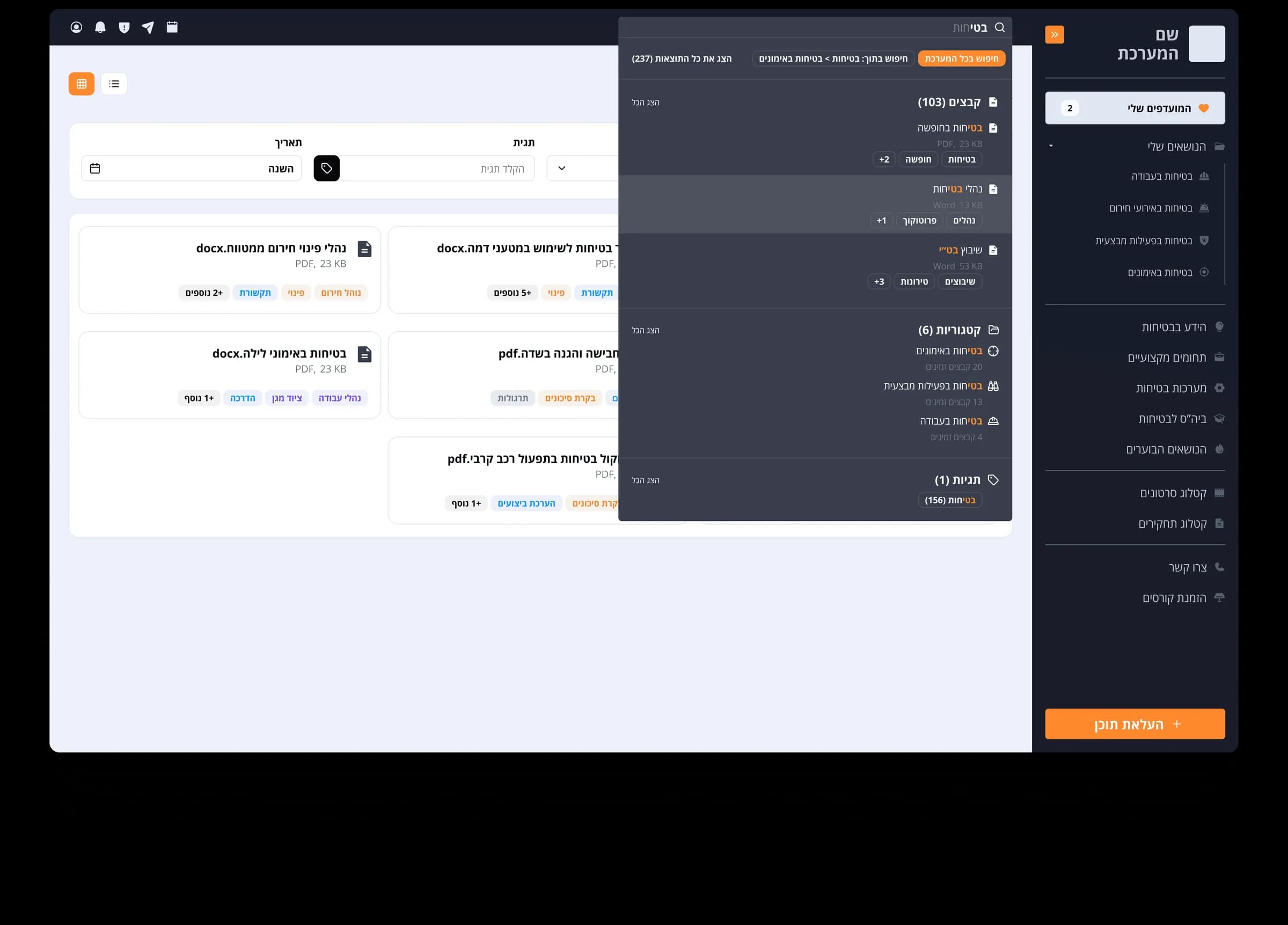
Smart search
The smart search provides a unified way to find files, categories, and tags across the system. Results are grouped by type and adapt to the user’s role, offering quick access to recent items, favorites, and relevant categories. Filters such as file type, date, and tags refine the search, ensuring navigation without dead ends.
The upload process
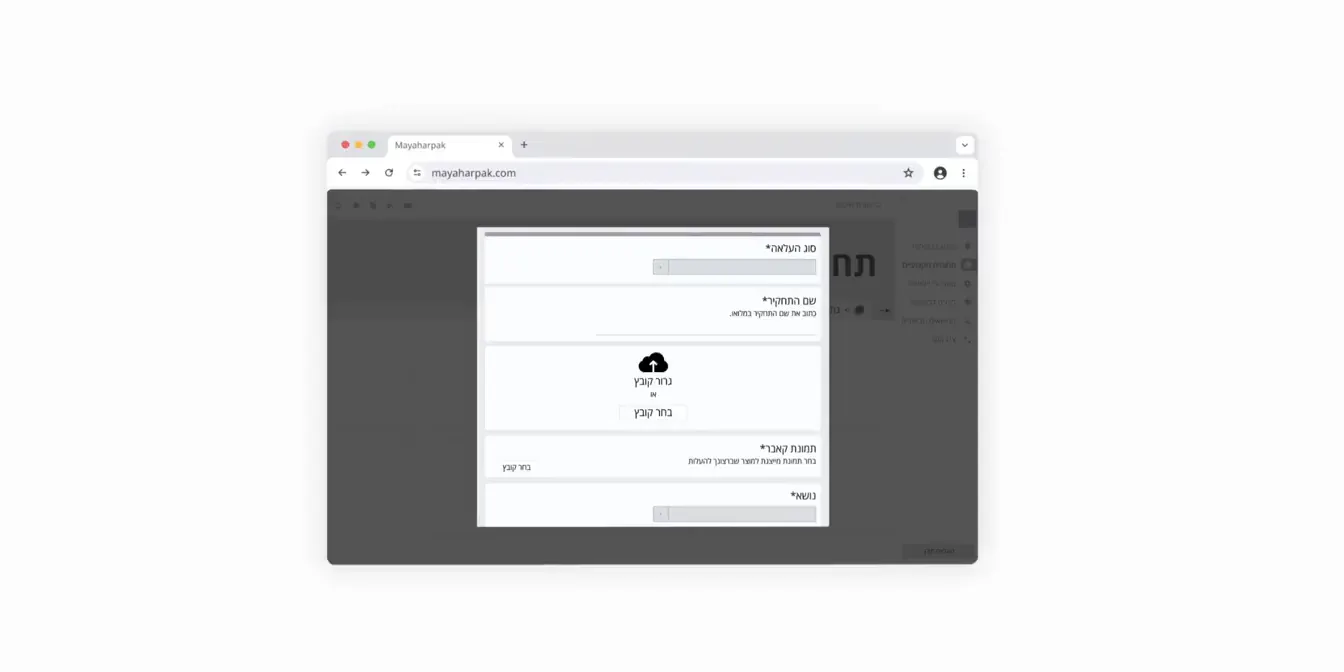
The upload flow initially followed a single screen form approach, grouping all actions into one compact interface.
While it appeared efficient on paper, usability testing revealed it felt confusing and overwhelming. Users weren’t sure where to begin, which fields were required, or why certain inputs appeared before any file was selected.
In response, I paused to re-evaluate the experience. I conducted additional research, mapped user expectations, and ultimately moved away from the form based model.
My solution
A multi-step guided flow
To reduce cognitive load and improve accuracy, I broke the upload process into three clear steps:
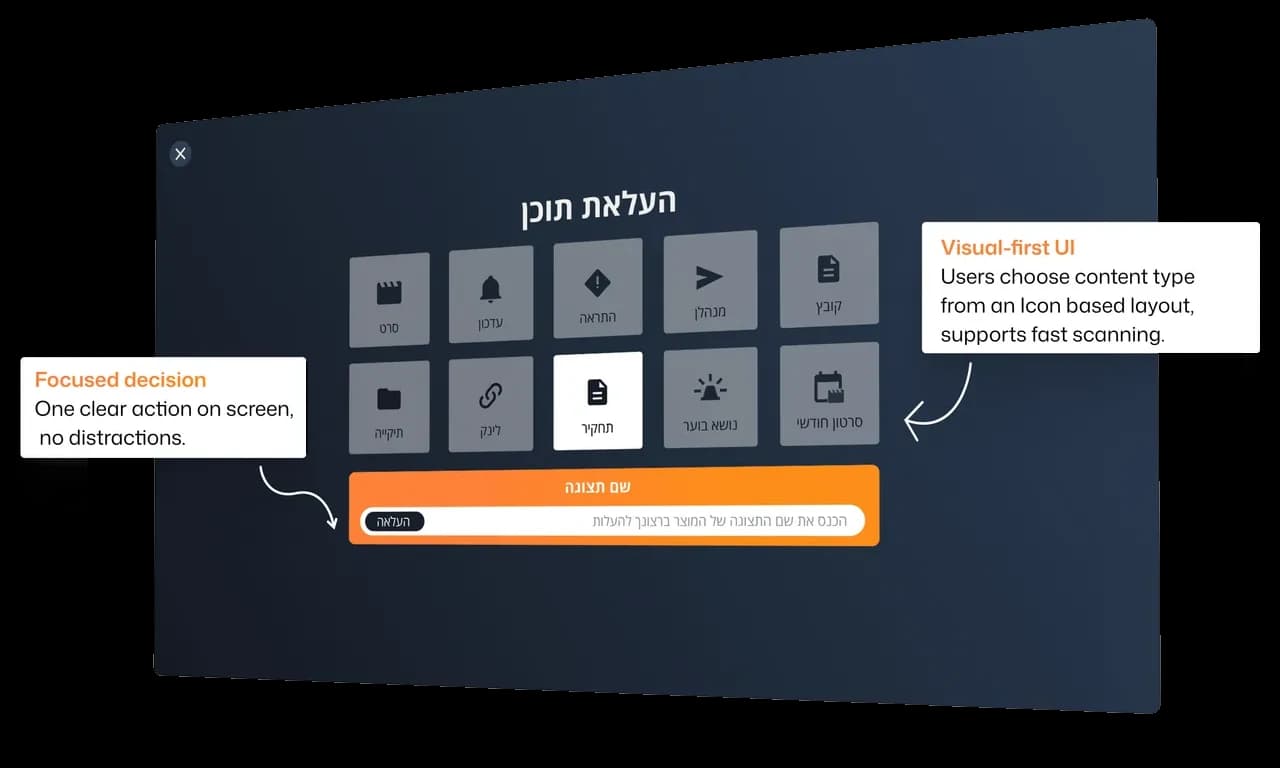
Step 1
Select file type
Guides users through the upload flow with a structured, step by step approach. The layout creates a sense of progression without overwhelming the user, making the task feel manageable and efficient.
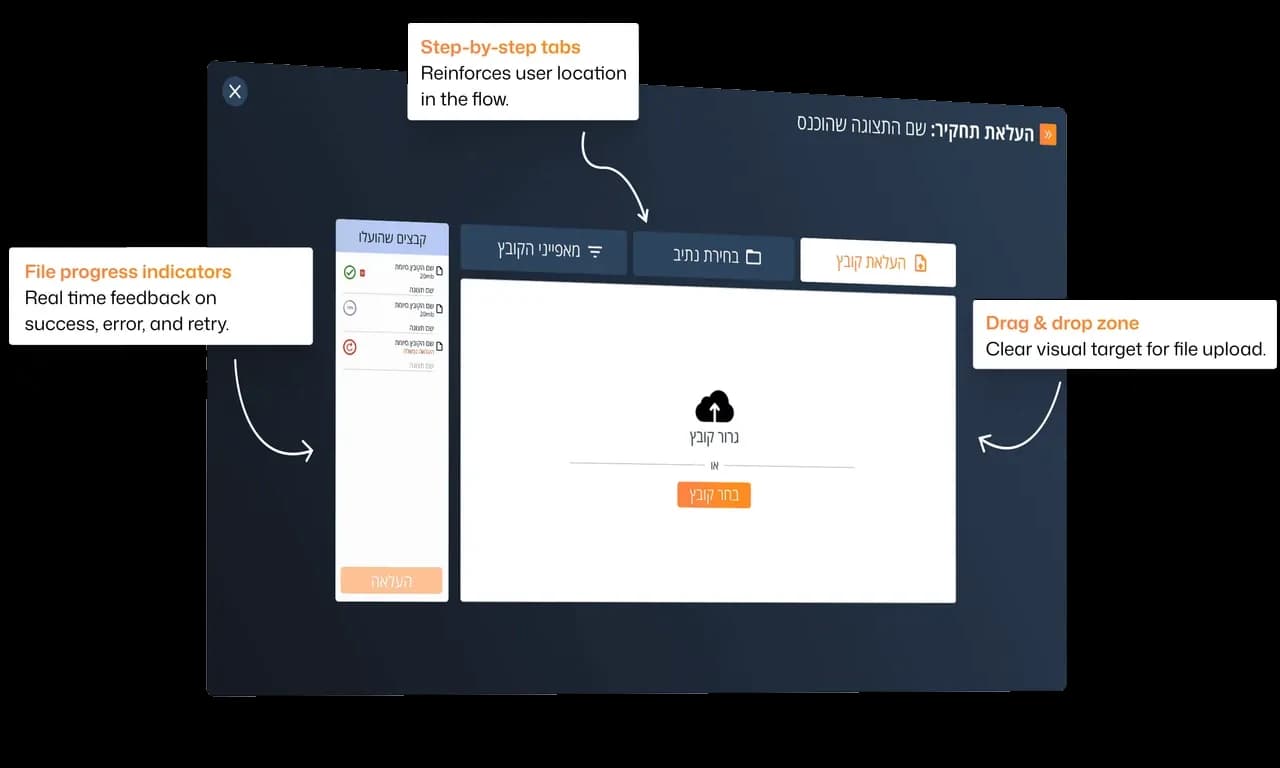
Step 2
Upload files
Keeps the upload process simple and clear. Files get instant visual feedback, errors are easy to spot, and actions are straightforward. Users stay focused and in control without unnecessary steps.
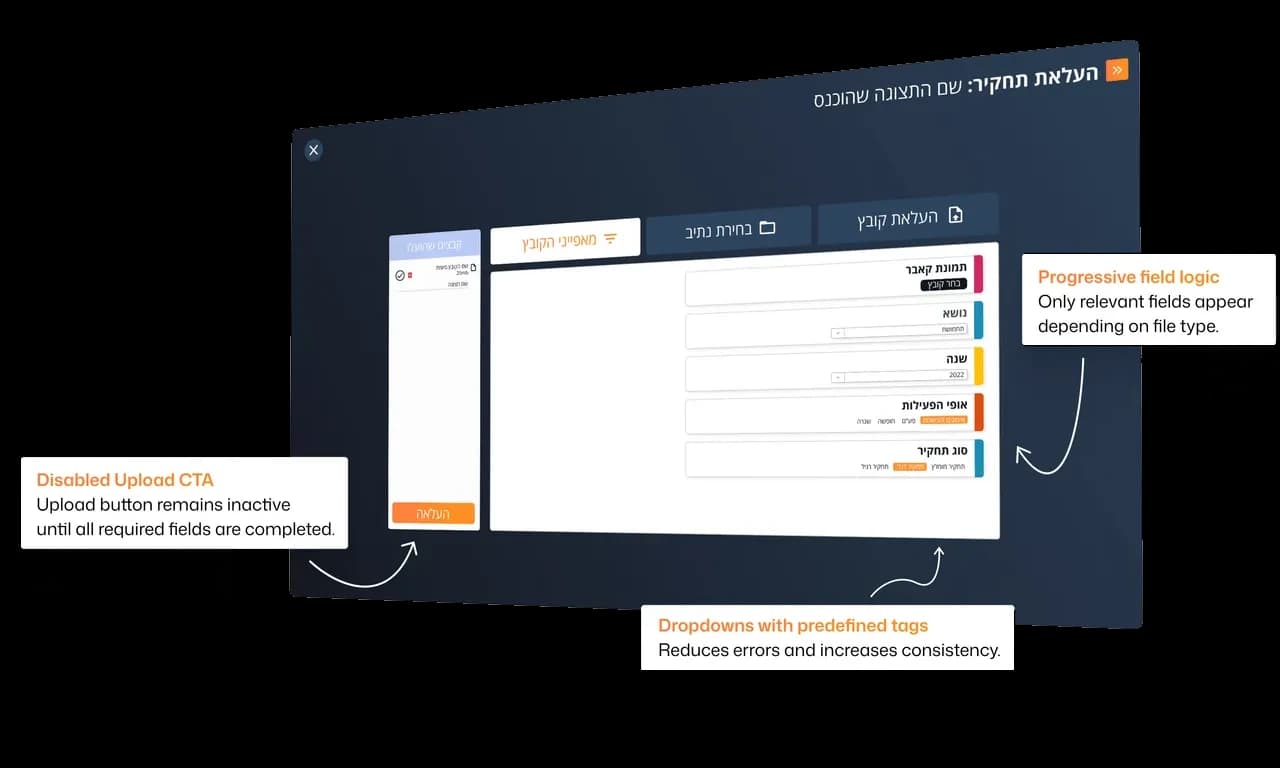
Step 3
Add file properties
Focuses on structured input. Each field is clearly labeled and color coded, helping users move through the form quickly without losing context.
Reflection
This project was a good reminder that design problems often go deeper than they look. What started as a UI refresh quickly turned into a chance to improve how people actually work day to day - making things clearer, quicker, and easier to use.
The dashboards and upload flow especially captured what the whole redesign was about: not just improving how the system looked, but how it felt to use.